
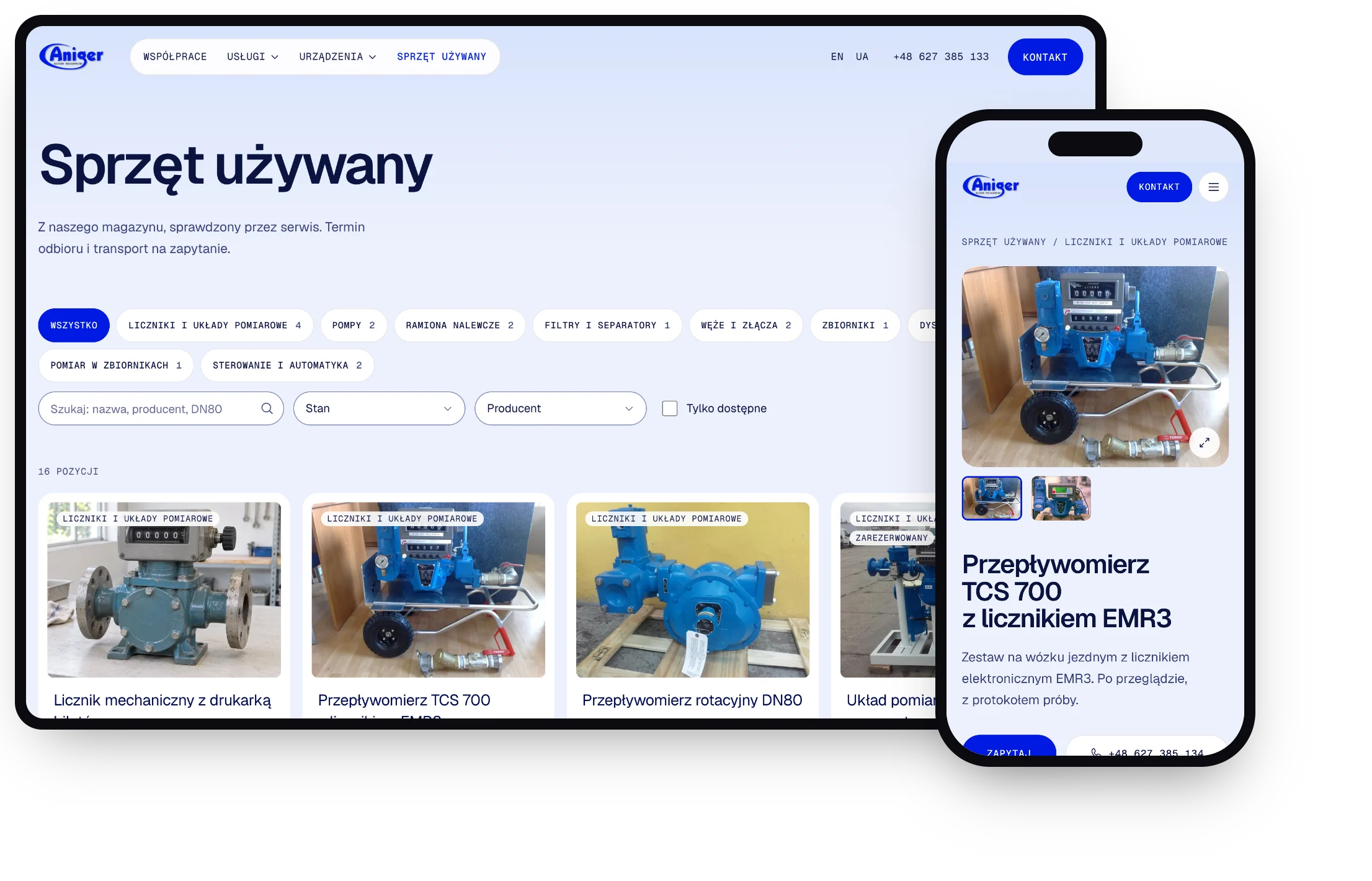
Fuel Industry Website & Used Equipment Catalog
Project Overview
Aniger has been building and servicing fuel depots and loading stations for over 30 years. We first built their corporate website, then came back for a second, bigger round: a full redesign and a new product on top of it, a catalog of used equipment that goes through Aniger's own service before it is sold.
The result is one Next.js application with Payload CMS behind it. The public site, the catalog and the admin panel share one design system, one database and one deploy.
Key Results
-
🏗️ Clear Offer From Design to Service: The new site walks visitors through Aniger's full scope, from design and construction to certification and service, instead of a flat list of services.
-
🛒 New Sales Channel: Used equipment from Aniger's warehouse gets its own catalog with filters, product pages and inquiry forms.
-
✍️ Content Without a Developer: Employees add equipment, update service pages and handle inquiries in an admin panel, with no code changes.
-
🌍 Three Languages: Polish, English and Ukrainian versions, with SEO set up for each of them.
Problems Solved
A Website That Didn't Match the Company
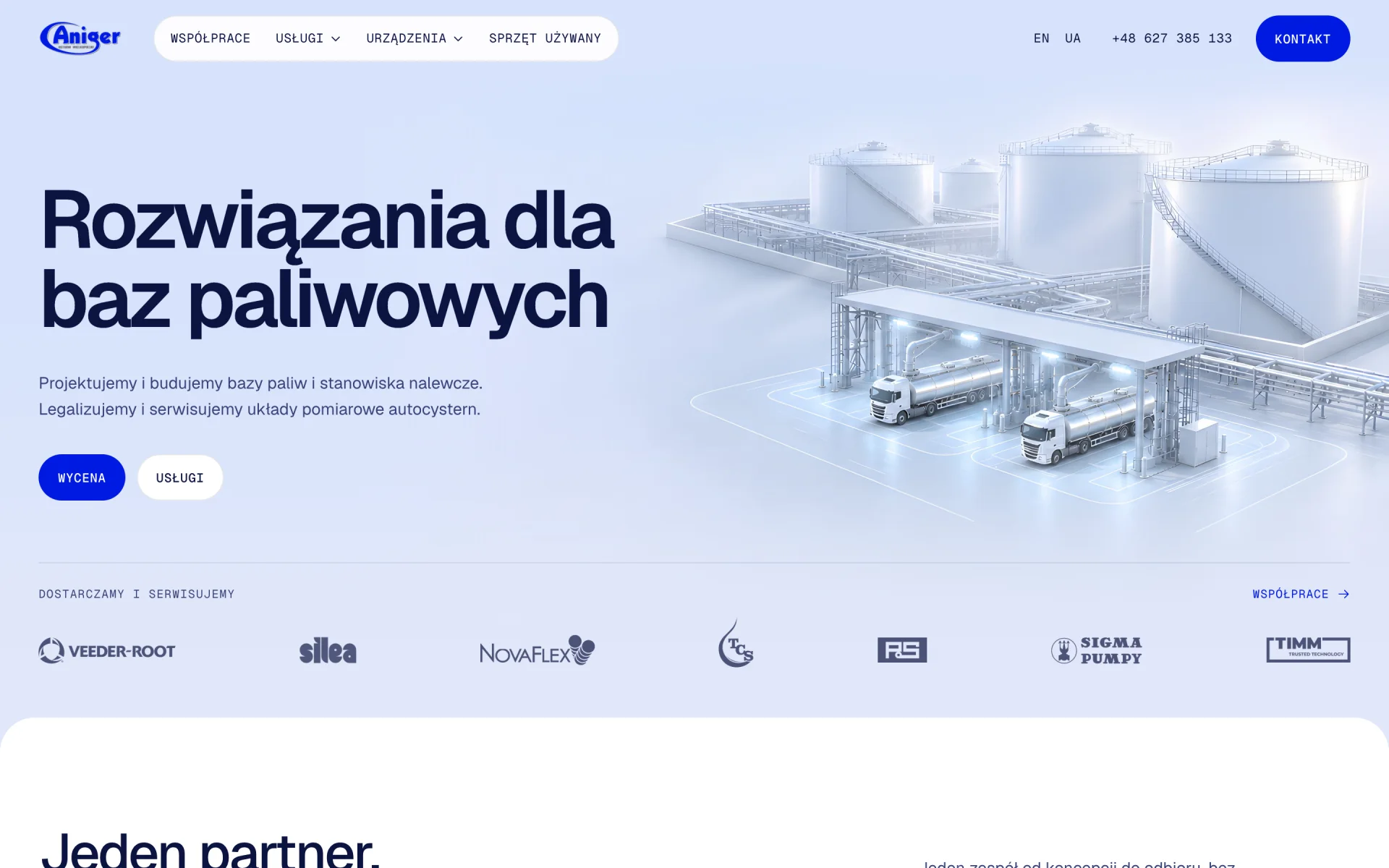
The first version gave Aniger a professional presence, but it looked like many other corporate sites. It didn't show the scale of the projects Aniger delivers or that a single team covers a facility end to end.
Solutions Implemented:
-
New Visual Identity: 3D renders of fuel infrastructure, a cobalt accent from the logo and a technical typeface instead of stock photos.
-
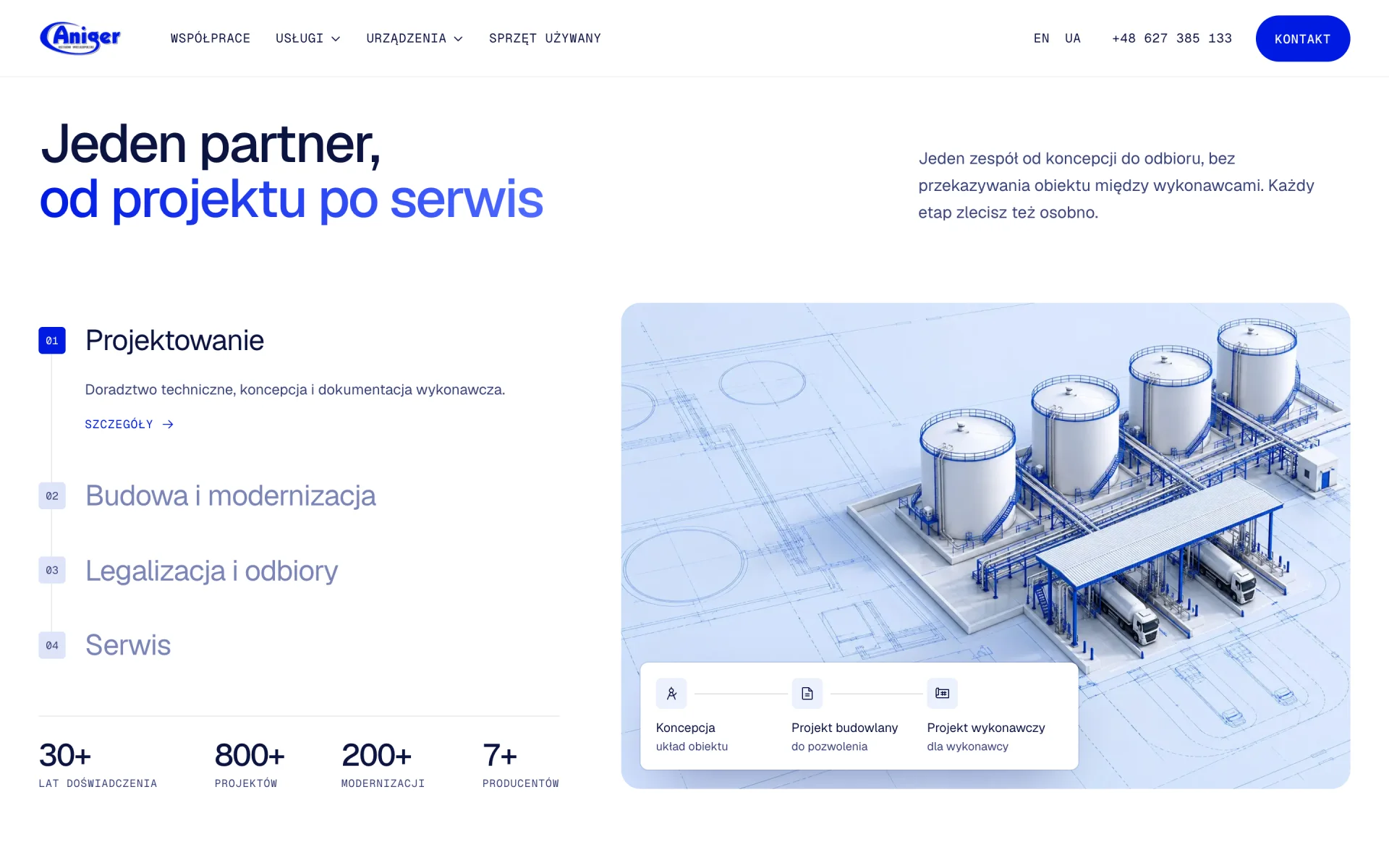
One Partner, Four Stages: The homepage presents design, construction, certification and service as one path, with project numbers and partner brands as proof.
-
Service and Device Pages: 14 subpages with spec sheets, photo galleries and downloadable documents, all edited in the CMS.
Used Equipment Nobody Could See
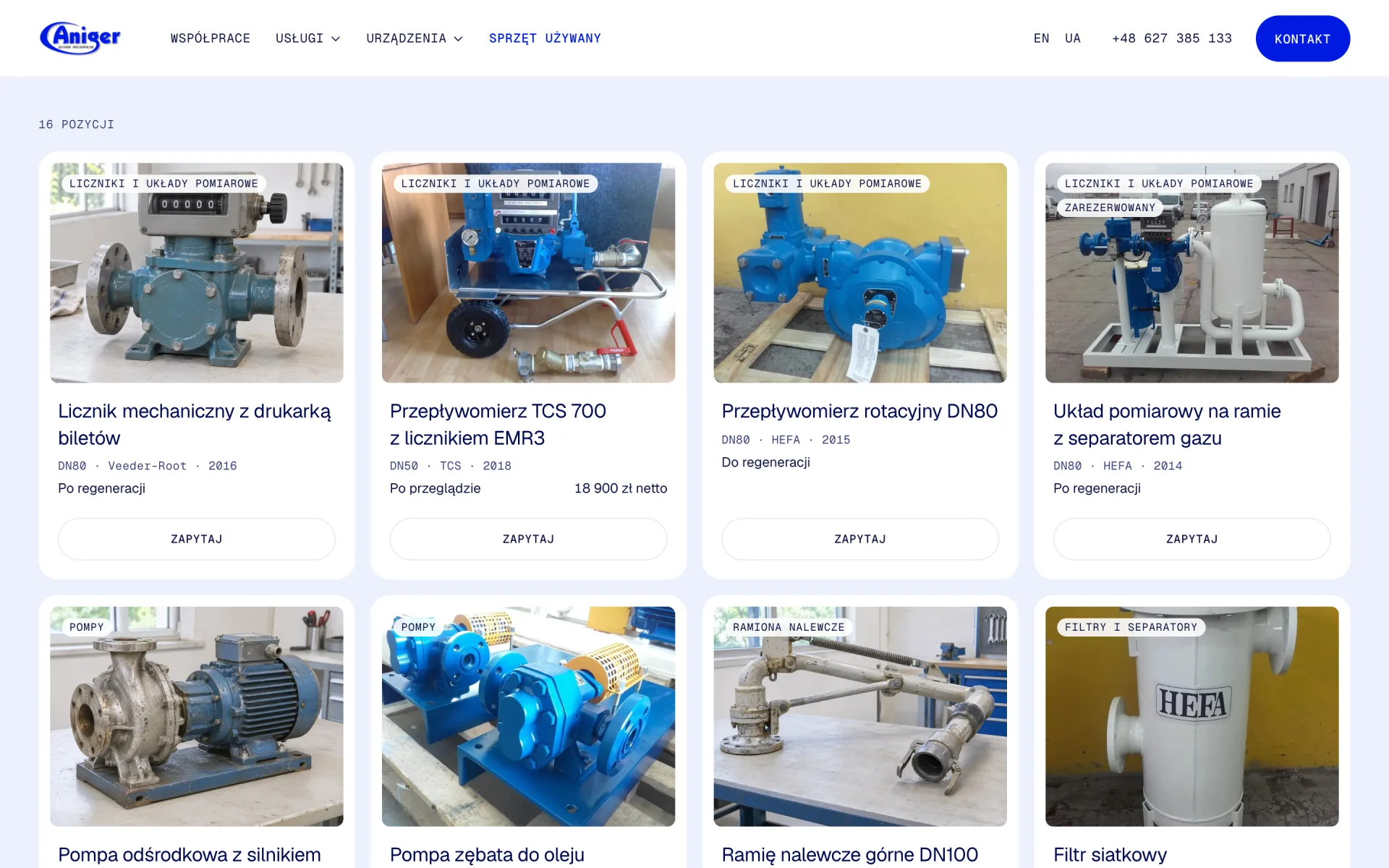
Aniger has used meters, pumps, loading arms and tanks in its warehouse, checked by its own service team. None of it was visible online, so customers could only find out by asking.
Solutions Implemented:
-
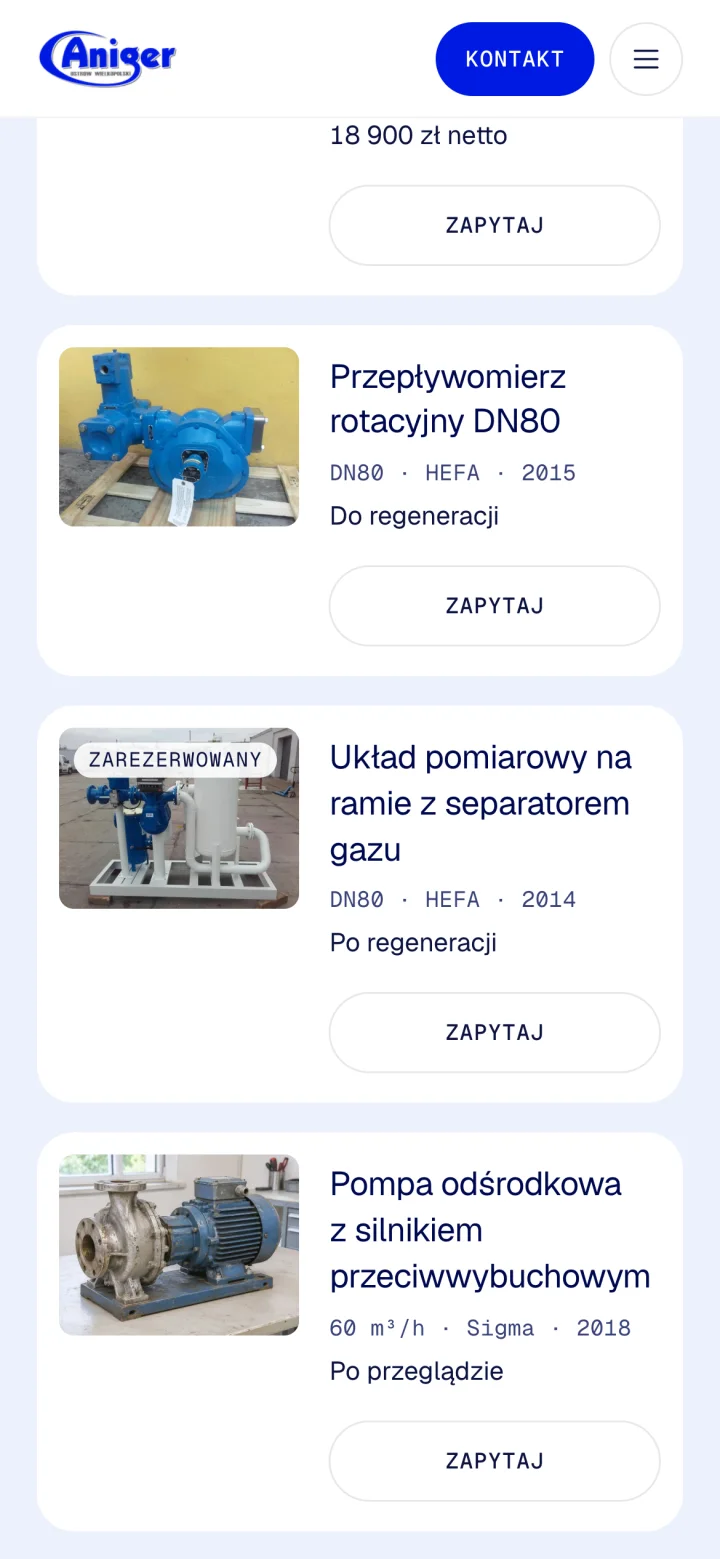
Searchable Catalog: Categories, technical condition, manufacturer and availability filters, all kept in the URL so a filtered list can be shared or bookmarked.
-
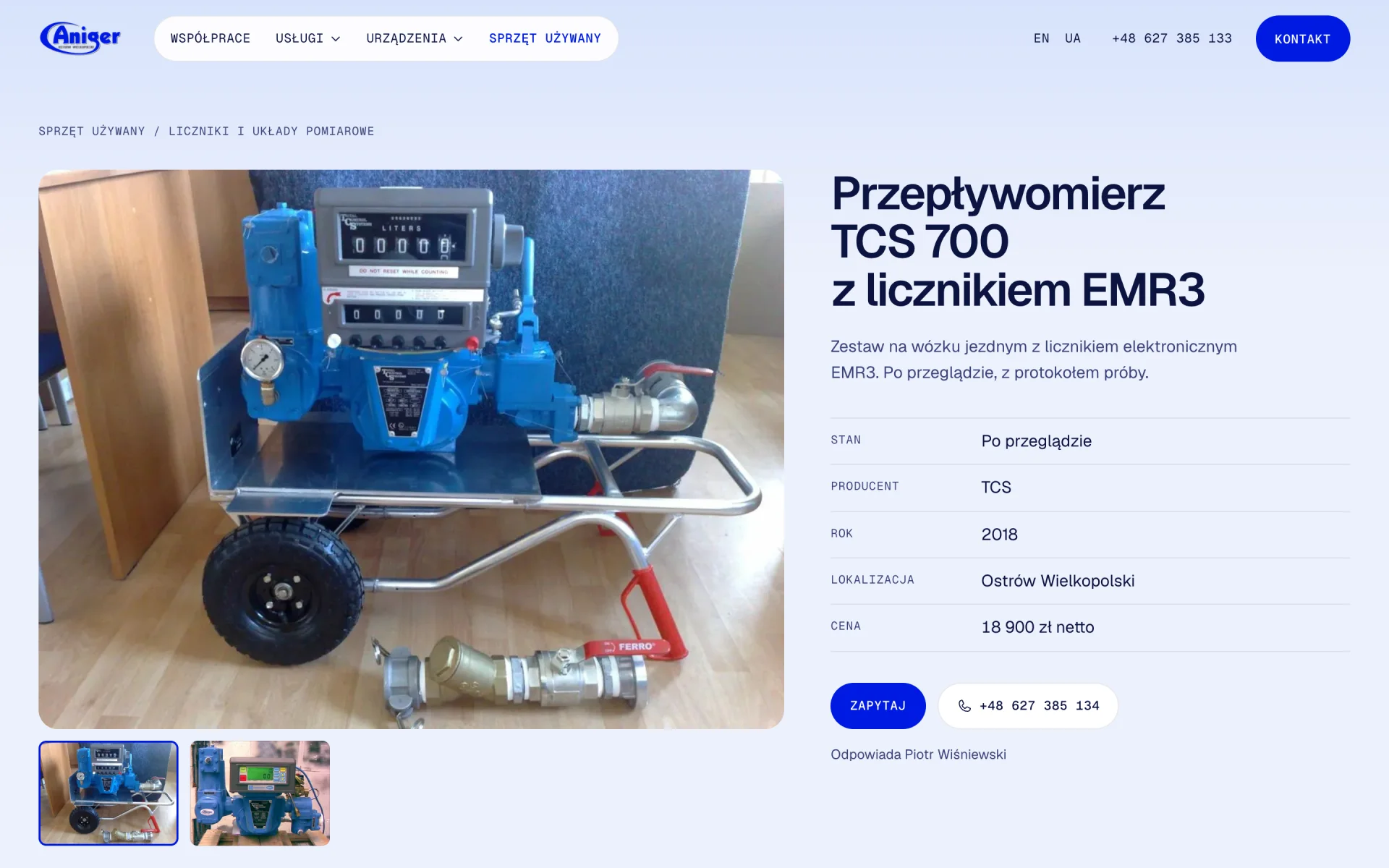
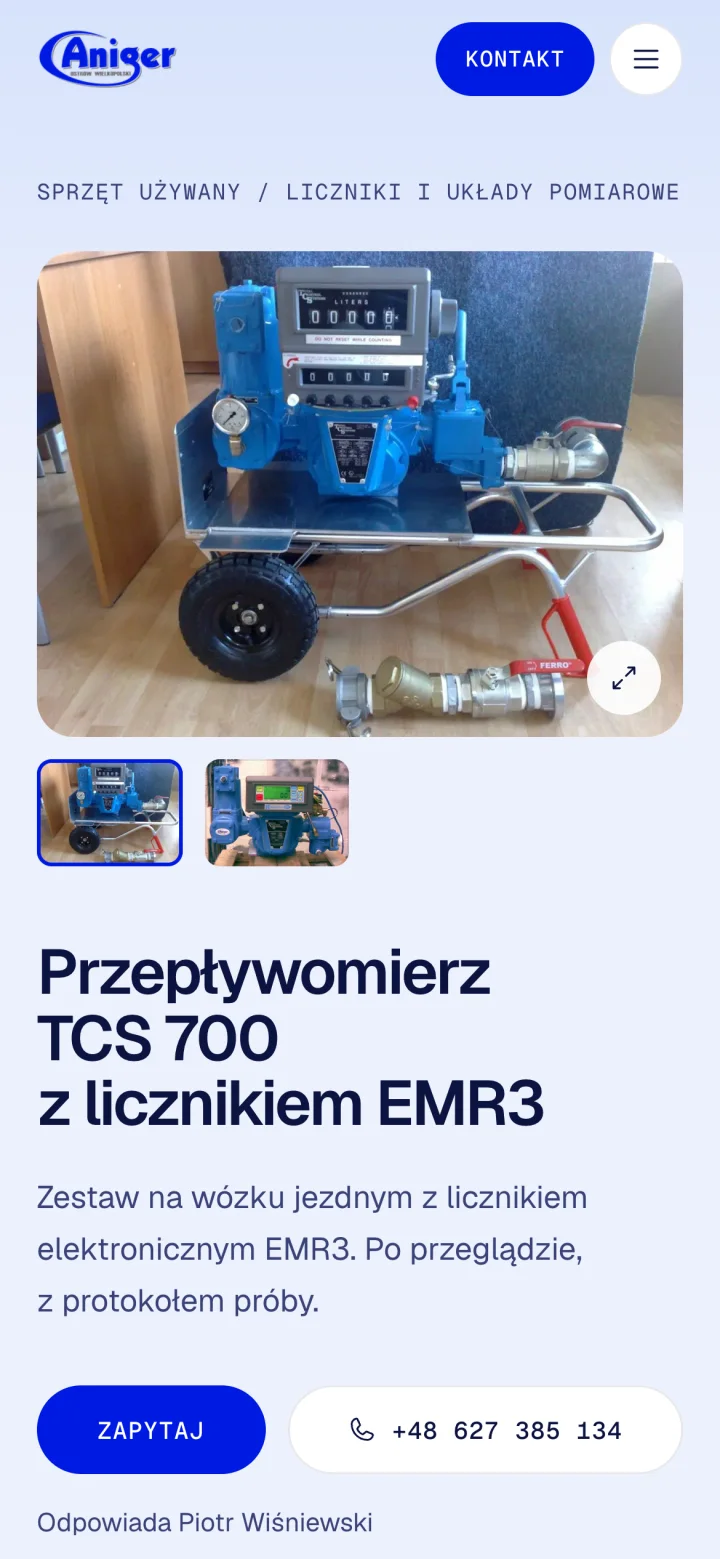
Product Pages: Photo gallery, condition, year, location, technical parameters and price (or "price on request"). Sold items keep their page, so links from emails and Google never break.
-
Homepage Teaser: The newest available, serviced items show up on the homepage automatically.
Inquiries Lost in a Shared Inbox
A question about a specific device had to find the right person by itself. With a catalog, that problem would only grow.
Improvements Made:
-
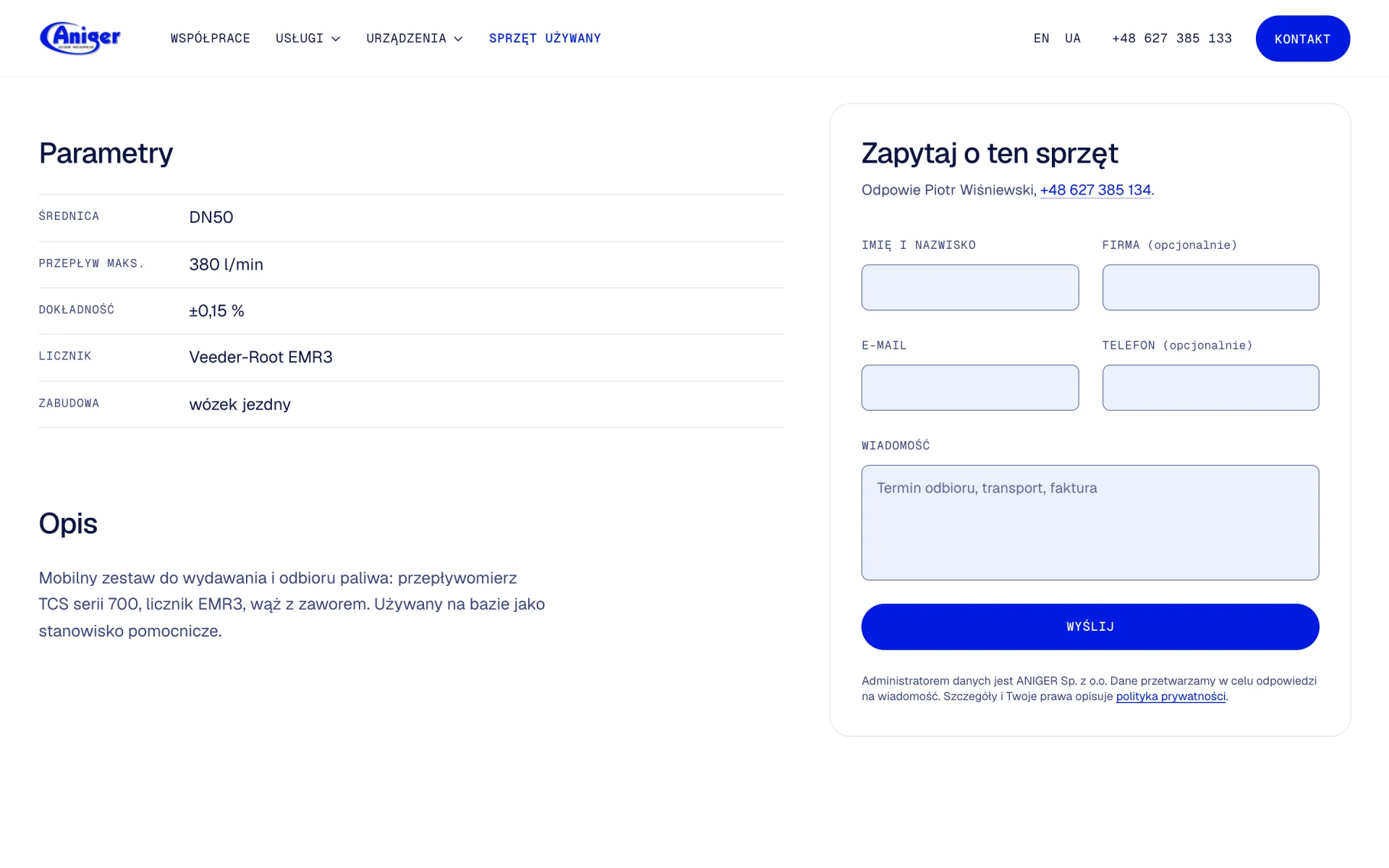
Contact Person per Item: Every piece of equipment has an assigned employee whose name and phone number appear on the page. Inquiries go straight to them, with an automatic confirmation sent to the customer.
-
Spam Protection Without Friction: Rate limits, a honeypot and optional Cloudflare Turnstile instead of annoying captchas.
Content Locked in Code
On the first site, every text change meant a developer. A catalog that changes every week couldn't work that way.
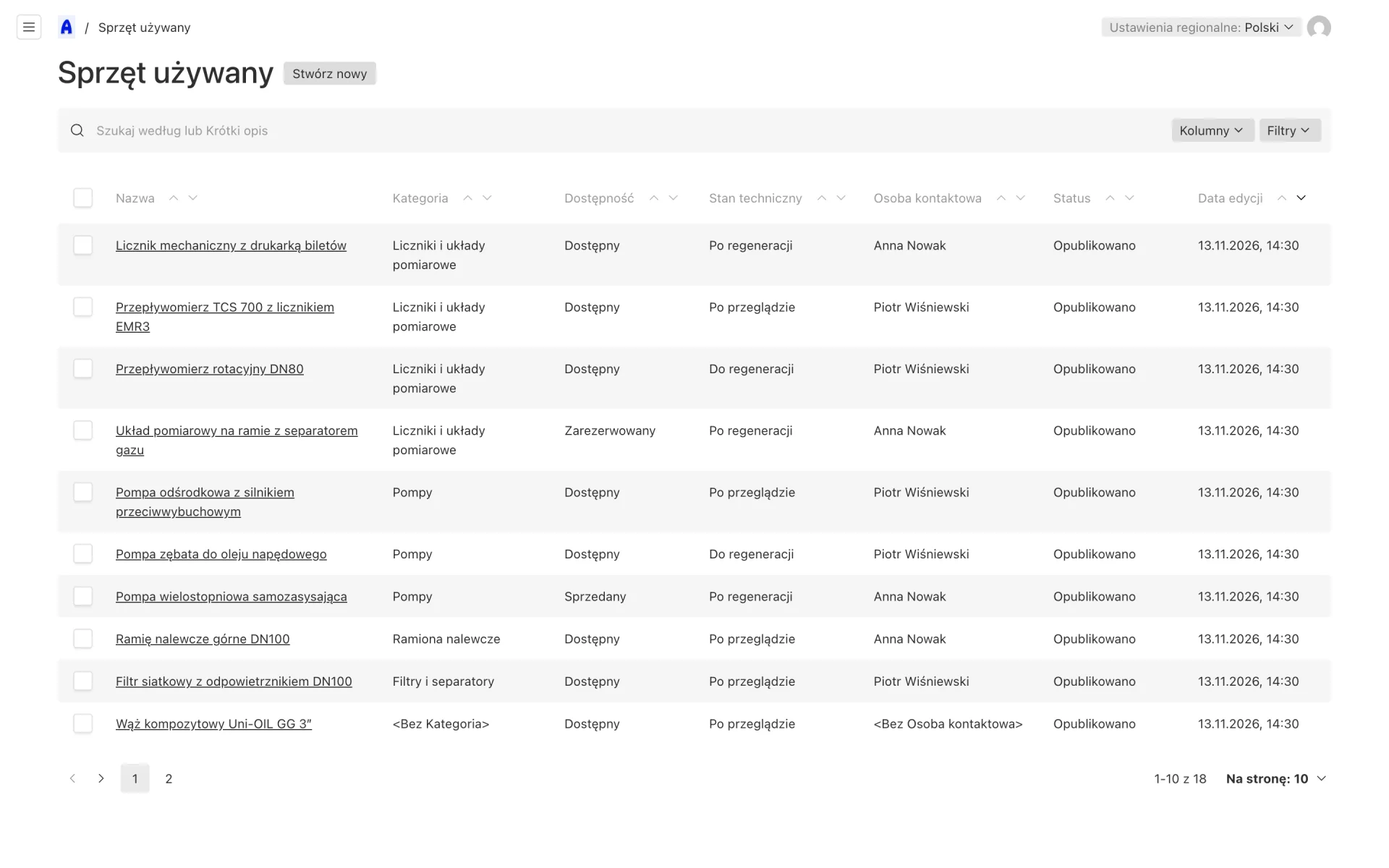
Improvements Made:
-
Admin Panel in Polish: Inquiries, catalog, pages and documents grouped in the order employees actually work.
-
Roles and Permissions: Admins manage everything; employees edit their own equipment and see inquiries about it.
-
Drafts and Preview: Equipment can be prepared as a draft and previewed on the real site before it goes live. Changes in the panel refresh the affected pages immediately.
Technology Selection
- Next.js & Payload CMS: One application for the website, catalog and admin panel. Pages are rendered on the server for SEO, while Payload gives typed collections, authentication, roles, uploads and drafts out of the box.
- PostgreSQL: A reliable relational database for the catalog and inquiries, with schema changes managed through migrations.
- TypeScript: Types generated from the CMS collections are shared by the admin panel, the site and the forms, so a schema change shows up as a type error instead of a bug.
- Tailwind CSS & Motion: A design system built on design tokens, with animations limited to transform and opacity and full support for reduced motion.
- Docker: The application ships as a single image that runs on a managed cloud or on the client's own server.
Key Insights
-
A Website Can Be a Product: The catalog turned the site from a business card into a sales channel. Building it on the same stack as the website kept one design and one place to manage content.
-
Route Work to People, Not Inboxes: Assigning a contact person to each item made inquiries faster to answer and easier to track.
-
Give the Client the Keys: A CMS shaped around the team's daily work matters more than a long feature list. The panel only shows what employees need.